
Speaks for your business
Answers from your approved services, policies, hours, pricing guidance, and customer workflows.
THE FRONT DESK THAT NEVER CLOCKS OUT
A configurable 24/7 AI receptionist that answers every call, books confirmed appointments, connects with leading CRM and calendar platforms, transfers callers, and reports every outcome.
Answers, acts, and hands off—without keeping customers waiting.
Speak with the actual AIWare Innovations receptionist. Ask how the service works, choose an available time, and schedule your own live product demo during the call.
POWERED AND CONNECTED BY
Real phone, AI, calendar, CRM, and API infrastructure.ONE INTELLIGENT FRONT DESK
Turn every conversation into a clear next step—with appointments booked, records updated, and your team ready to follow through.
Answers from your approved services, policies, hours, pricing guidance, and customer workflows.
Checks availability, qualifies the request, confirms the appointment, and sends the details automatically.
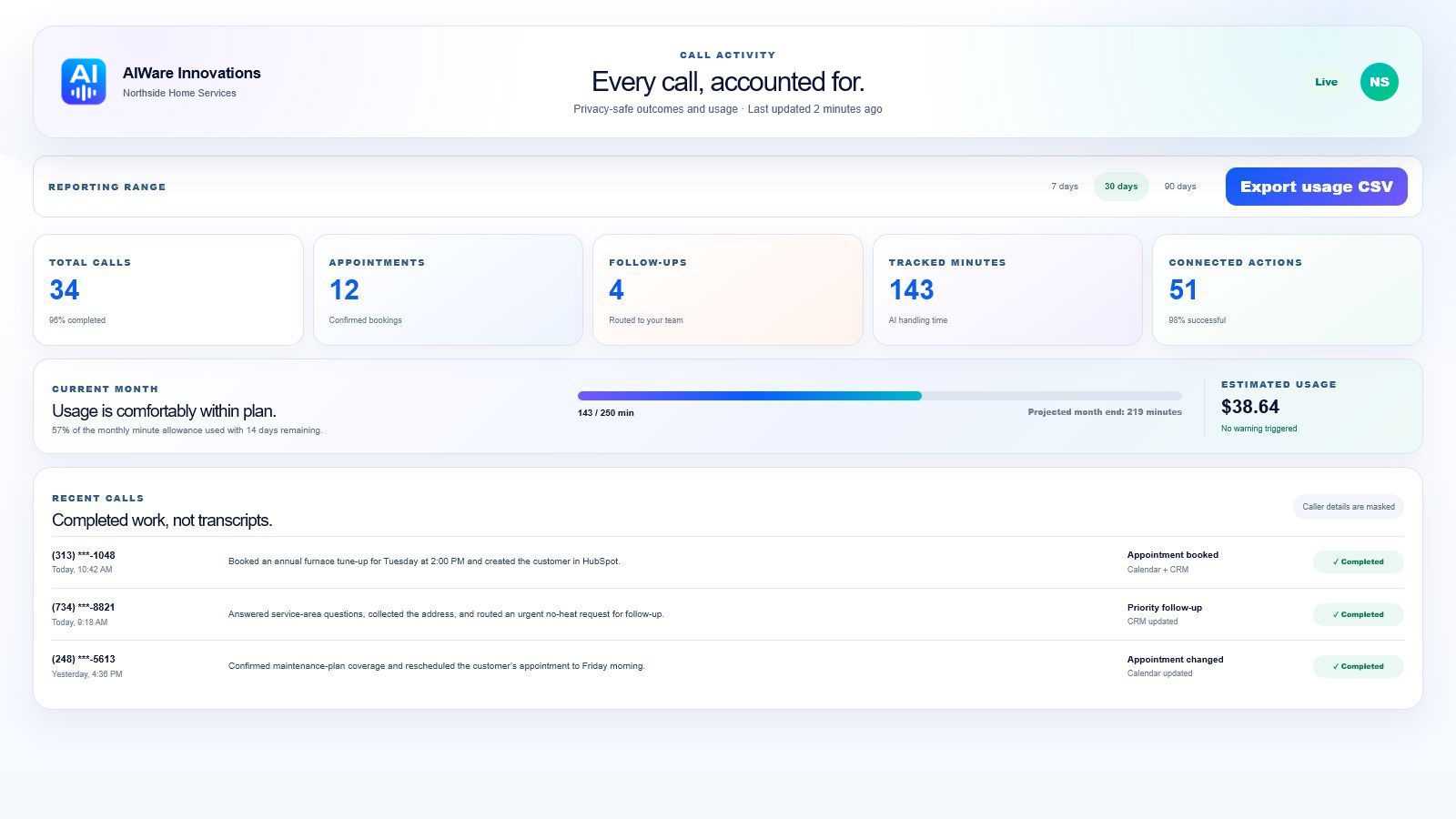
Updates your CRM, routes urgent calls, and leaves every conversation organized and actionable.
GUIDED AGENT WORKFLOW BUILDER
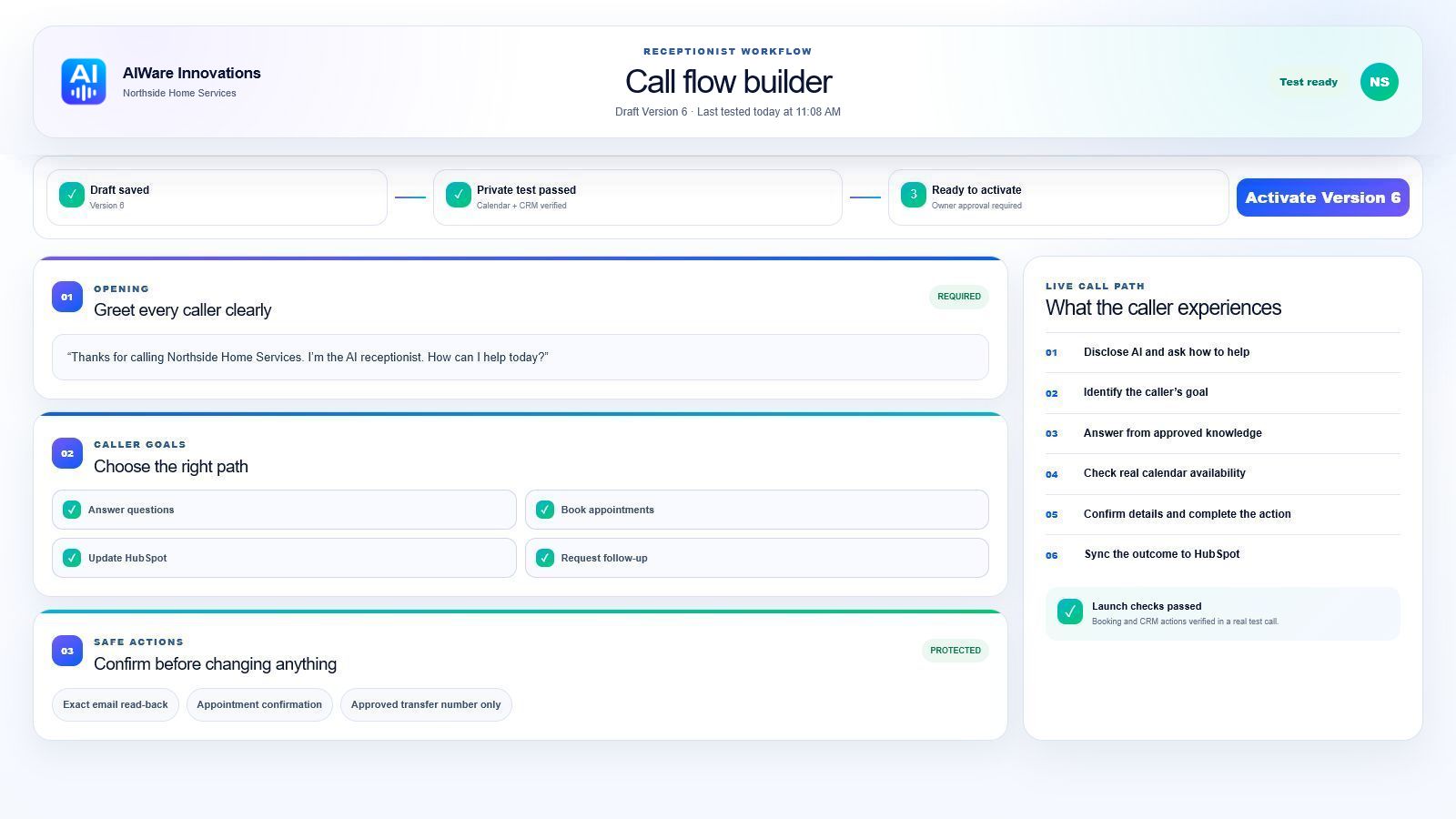
Turn the way your company already handles customers into a clear, testable receptionist workflow. Each business gets its own knowledge, actions, safeguards, and connected tools.
Every action follows your approved rules and tools.
Choose the greeting, approved knowledge, caller questions, actions, and handoff rules in plain language.
Try a draft from an approved test number while the active receptionist keeps handling customer calls unchanged.
Calendar, CRM, and transfer capabilities must pass their launch checks before a tested workflow can go live.
THE PLATFORM BEHIND THE VOICE
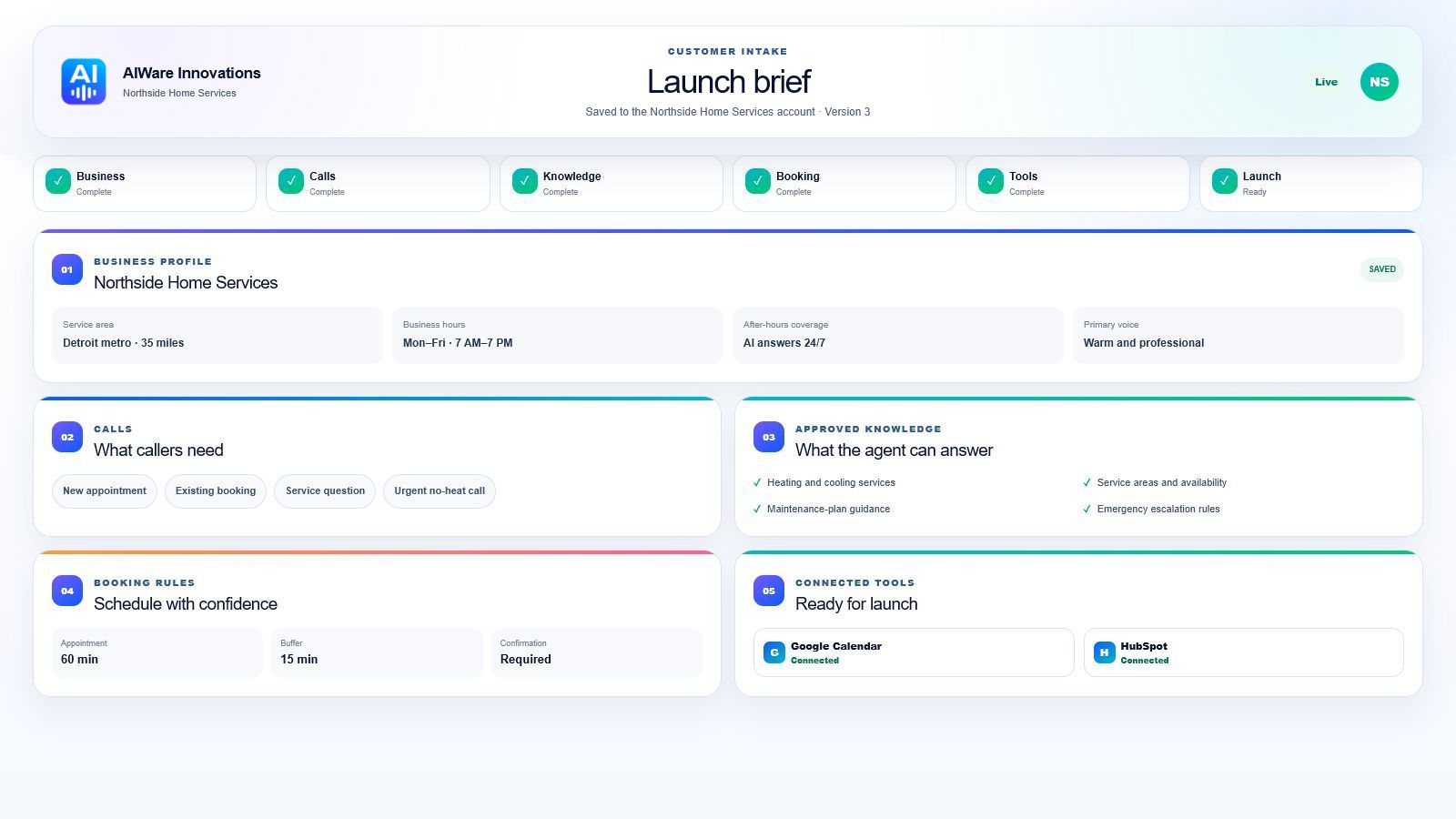
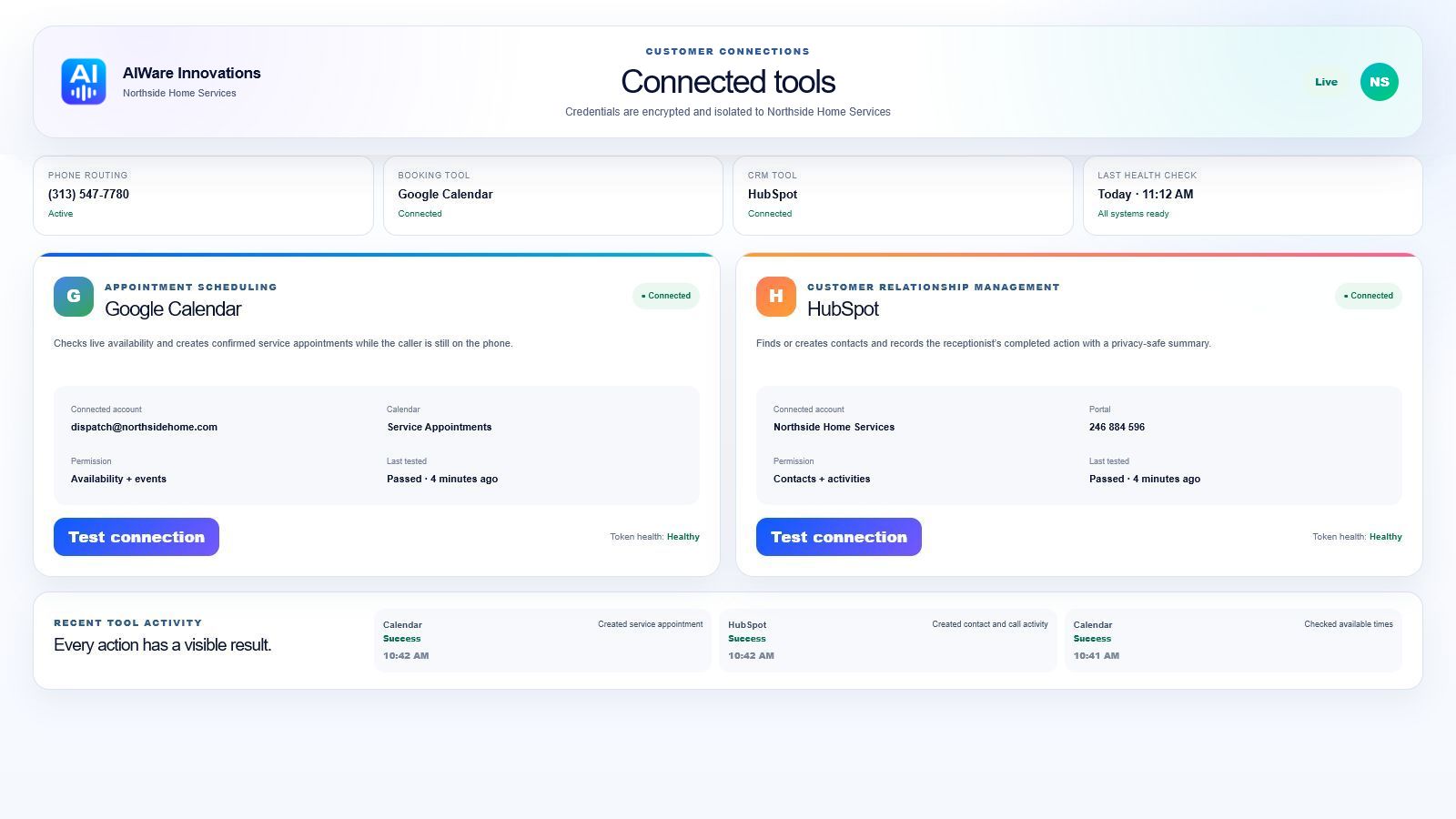
Explore a realistic demo workspace showing the information, controls, connections, and call outcomes available to a customer.
ONE SYSTEM, MANY BUSINESSES
CONTROL AND TRUST, BUILT IN
Define approved knowledge, permissions, transfer rules, business hours, confirmation steps, and privacy limits before a single customer call goes live.
Identify the request and capture only the details you approved.
Business rules decide what the receptionist may do.
CHECKEDConfirm the time, create the booking, and update the CRM.
Transfer the caller or create a structured follow-up.
Limit the response and route sensitive requests correctly.
FOUNDING CUSTOMER PACKAGES
Choose a clear starting point. Every package is configured around your company, tested with real call scenarios, and approved by you before it answers customers.
For businesses that need every call answered, organized, and routed correctly.
$299/ month + usage
For service businesses that want the receptionist to qualify callers and book appointments.
$499/ month + usage
For teams that need multiple workflows, departments, calendars, or connected business systems.
From $899/ month + usage
Founding customer onboarding is included for the first five qualified businesses. Final scope and third-party usage charges are confirmed before activation.
Review the launch checklist →QUESTIONS, ANSWERED
Monthly plans cover configuration, management, and the included workflows. Phone, AI, messaging, and connected-service usage is billed separately based on actual use. Your launch proposal will explain the usage rates and any limits before activation.
A straightforward receptionist can usually move from intake to guided testing quickly once we have your business information and system access. More complex CRM, multi-calendar, or departmental workflows require additional planning. We confirm the expected launch schedule before work begins.
No. The voice, greeting, company knowledge, qualifying questions, booking rules, and escalation workflow are configured around each business.
Yes. Calls can be forwarded from an existing number, routed after hours or when unanswered, or answered through a dedicated Twilio number.
No. It can answer full-time, only after hours, during busy periods, or when your team does not answer within a set time. We configure the coverage around your current phone workflow.
You define the transfer and escalation rules. The receptionist can connect the call, alert an on-call employee, or collect a message with a structured summary.
Yes. The platform is designed around secure tool connections for calendars, inboxes, CRMs, and other business systems through approved integrations and APIs.
Yes. When scheduling is enabled, the receptionist checks the connected Google Calendar, offers real available times, confirms the caller's complete details, and creates the booking only after explicit approval.
Every receptionist is tested against real call scenarios before launch. Your company controls the approved information, workflows, handoff rules, and actions it may take.
Yes. Business hours, services, greetings, FAQs, qualifying questions, and routing rules can be updated. The amount and priority of ongoing changes depend on the selected plan.
Yes. The receptionist is designed to identify itself as an AI assistant. It should never pretend to be a human employee or mislead callers about what it can do.
The public AIWare Innovations demo is not currently configured to record calls. Any customer recording feature would be separately approved, configured for the applicable consent requirements, and disclosed to callers.
We begin with your business details, services, hours, common call reasons, approved answers, appointment rules, escalation contacts, and the tools the receptionist may use. The intake questionnaire organizes all of this into a launch-ready brief.
REQUEST A DEMO
Call the live receptionist to schedule a demo, or send a short request and let us follow up at a convenient time.
Tell us what kinds of calls you receive, when they are missed, and what the receptionist should accomplish. We will map the right first workflow.